Integrate AI into your business
Automate 30–50% of routine management, HR, and accounting — on your own private office server.
Built by a software engineer · 25+ years in business systems

Built by a software engineer · 25+ years in business systems
Routine work eats time. The same facts get retyped, status calls repeat, and know-how stays in people’s heads. Here are the bottlenecks we remove first.
The same rules and AI assistant connect the departments that usually work in separate tools.
Warehouse · Logistics
Production · Field service
Sales · Support
Retail · Requests
HR · Admin
Compliance · IT
Procurement · Finance
Invoices · Reports
Arrows show handoffs. Overlaps show work shared by two departments.
Guest access is available for partners — delivery drivers, cleaning crews, maintenance teams and other outside help — so they can tell the business what they are coming to do.
A simple illustration of task flow.
One task stream for the whole company. Work moves to the first available person with the rights to take it, and the owner sees progress without status calls.
Created by rules, not by a manager’s personal order.
A task enters the top of the stream with a place, required rights, and a deadline.
It moves down only to free employees who are allowed to take it.
An eligible employee accepts. Everyone can see that the task is now in progress.
The task closes at the bottom of the stream, leaving a clear trace for metrics.
A trusted goods-transfer partner gets access to our app. They press “We arrive at 15:00”, and the warehouse receives a task to meet the truck. Any free warehouse worker can take it!
The owner sets an approval and a budget once. Purchases and finance see the same limits. Invoices and actual spend come back as a simple report, so the owner sees what was approved, what arrived and what is still open — without forwarded spreadsheets.
A seller reports sick leave. A replacement task goes to HR; HR presses one button to request cover. The task is sent to other sellers with a bonus attached. The first eligible seller who accepts covers the shift and gets the bonus automatically.
Anyone at a cash point can take a one-hour break whenever they want, if a same-role cover is found. The app finds the cover, records the handover and closes the task. HR stops tracking breaks by hand or fixing them to an exact time.
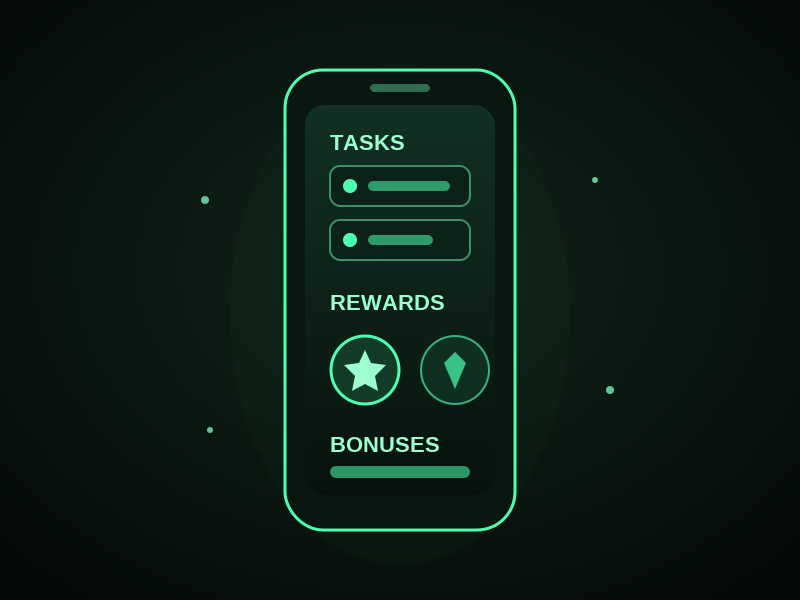
A tired shift should not feel heavier because the app is boring. We add short sounds and meme-style notes to celebrate small wins — while the rules decide who earns each bonus.
A short, cheerful sound marks a claimed task, a covered shift or a new bonus. It stays quick and can be turned off.
A short cheering meme appears when a dull milestone is done. It is silly, instantly readable and easy to skip.

The rules decide who qualifies and how much is granted. The game layer only makes the reward visible and pleasant.
Sounds and memes are optional and can be configured per role. They help shifts get covered faster and make routine work a little easier to keep.
Ask questions in plain language and get answers from your own documents and rules. Nothing is sent to a cloud provider, and there are no recurring API fees.
Which shifts are still open tomorrow, and who is allowed to take them?
Two shifts are open. Two employees have the required rights and are available. I can send both to the task stream.
Documents, questions and answers stay on your equipment. No external API and no third-party training on your material.
You pay for the hardware once. After that, every question is yours — no per-message metering and no surprise bill.
Your procedures, prices and documents become the source. Access rights decide who can see each file.
An outage or a changed vendor price does not stop the working day.
Local AI and mobile tasks work alongside the tools your team already uses. Access rights decide what each person and each tool can see.
Documents, customer records and daily team tools used across markets.
We connect only the tools a process really needs. New general modules can be switched on from the dashboard. Individual setup, hardware and licences are quoted separately.
Stable teams rarely welcome sudden change. We do not ask people to trust a new system on day one. We start with one small task flow, earn trust, and only then connect the sensitive systems.
A simple phone feed gives every task an owner, a deadline and a status. People keep their usual accounting and reports while they learn the app.
Fewer status calls, fairer task choice and visible bonuses make the benefit obvious. Adoption comes from daily use, not from a training speech.
When people start seeing AI as a friend and ask it for help with documents, advice and everyday questions, we are ready for deeper integrations.
Accounting and 1C are the parts people protect most. We connect them in small steps: first we read data, then we write back, always with a named owner and a way to roll back.
1C stays the main book until everyone agrees the new flow is reliable. We move one check at a time, not the whole company in one weekend.
No big-bang replacement. No forced accounting migration on day one. The app earns its place before it touches the sensitive systems people trust.
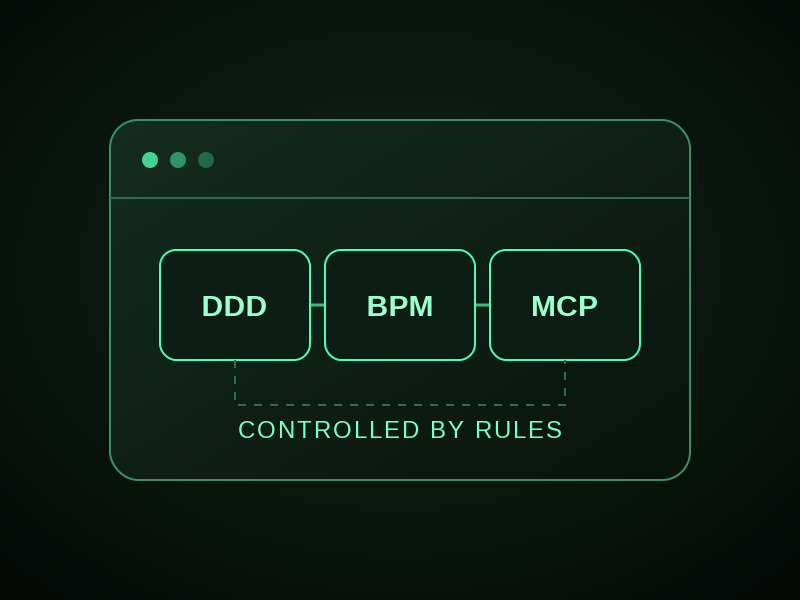
The mobile app, the AI and this website follow the same rules: who may act, what they may use and what gets recorded.
The control panel is modular. When a new general module becomes available, past clients can enable it from the dashboard at no extra integration charge. Custom work, hardware and licences are still quoted separately.
Part 1 moves tasks on mobile. Local AI answers inside those rules. The control panel web server runs in your office too, so responses stay fast. This website keeps the rules clear and under your control.
The point is simple: save hours, spend less payroll on repeat work, and make fewer costly mistakes.
Illustrative pilot examples. We confirm realistic targets during discovery.

Notes on software architecture, local AI, and the practical craft of making a business run clearer — written for owners and teams who want less chaos and more control.
Read Insights
Change the values to see how team size, departments and integrations affect the estimate.
Estimate only. The final price is confirmed after the first week of discovery.
We use a local in-office AI server and a local web server for the control panel. Keeping both in the office makes AI responses faster. The client buys the hardware; other licences are quoted separately.
After the initial engagement, extras are paid separately. New general modules can be enabled from the dashboard at no extra integration charge.
Tell me about your company and the process you want to bring under control. I will get back to you with a practical next step.
info@nvibes.ru